Search



WORLDWIDE SHIPPING
fast, flexible, secure options

ONLINE SUPPORT 24 / 7
anytime, anywhere help

MONEY BACK GUARANTEE
shop with confidence

WIDE SELECTION
every day low prices
Electronics
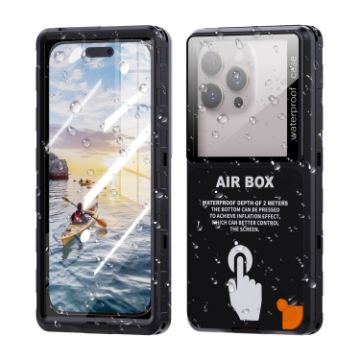
RedPepper Air Box Max 6.9 IP68 Waterproof Phone Case for 6.9 inch Phone (Black)
- Waterproof case: One case is suitable for more users. Supports 99% of mobile phone types. Can accommodate 6.9-inch and below displays. Touch sensitive, touch screen supported underwater (2m waterproof).
- Professional underwater photography phone case: 2M waterproof case, greatly improves the waterproof and pressure resistance of waterproof phone case. Excellent waterproof performance case, suitable for underwater and underwater photos and videos, perfect for surfing, kayaking, yachting or other outdoor activities.
- Easy to install and use: Put the phone in the right position, close the cover, and then close the buckle.
- Waterproof HD underwater photography: Fully sealed, full body protection. Feel free to shoot underwater and take clear videos and photos. Capture any scene or scene you like underwater. Capture any scene or scene during water and underwater sports.
- With lanyard: This waterproof case comes with a sturdy lanyard, which is easy to carry and comfortable to shoot.
- Size: 178x91x21mm
- Weight: 64g
- Material: TPU+PC+PET+Silicone
A$15.17 A$18.34
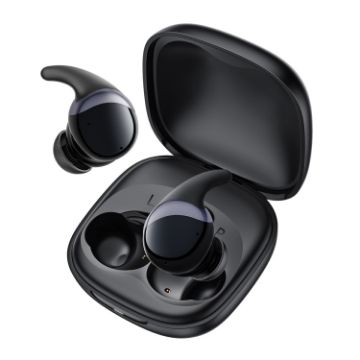
Yesido TWS30 ANC Active Noise Reduction TWS Bluetooth Earphone (Black)
- Material: ABS+PC
- Bluetooth version: JL7003D V5.3
- Bluetooth protocols: HFP, HSP, A2DP, AVRCP, PBAP
- Bluetooth distance: less than or equal to 10m
- Speaker size: 13mm
- Noise reduction depth: -35dB
- Frequency response range: 20Hz-20kHz
- Microphone sensitivity: -42+/-dB
A$26.04 A$32.30
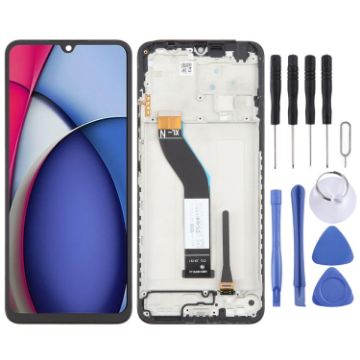
For Xiaomi Redmi A3 Pro OEM LCD Screen Digitizer Full Assembly with Frame
- Before Installation Notes
- Tips 1: Test before installation
- When testing, do not remove any protective film or tags. Please pay attention to the problem of static electricity.
- Before attempting any repair, be sure to ground yourself is an ESD (electro static discharge) strap. This will prevent static electricity from damaging the electronic components within the phone.
- Ensure you wear eye protection and use caution not to cut your finger with the glass splinters.
- Tips 2: Simulates testing
- Screen replacement is very fragile product. We strongly suggest test before installation. Please simulates testing, which means mobile phone apart, (motherboard + LCD or screen) connected audio cable and new replacement, power on, test finished. If test OK, please install it. If it can not show, please contact us at the very first time. And please do not force it to be installed in mobile phone. We will not be responsible once the screen is installed.
- Tips 3: Do not over-bend cable
A$22.60 A$27.12
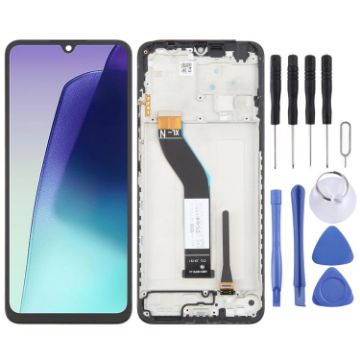
For Xiaomi Redmi A4 OEM LCD Screen Digitizer Full Assembly with Frame
- Before Installation Notes
- Tips 1: Test before installation
- When testing, do not remove any protective film or tags. Please pay attention to the problem of static electricity.
- Before attempting any repair, be sure to ground yourself is an ESD (electro static discharge) strap. This will prevent static electricity from damaging the electronic components within the phone.
- Ensure you wear eye protection and use caution not to cut your finger with the glass splinters.
- Tips 2: Simulates testing
- Screen replacement is very fragile product. We strongly suggest test before installation. Please simulates testing, which means mobile phone apart, (motherboard + LCD or screen) connected audio cable and new replacement, power on, test finished. If test OK, please install it. If it can not show, please contact us at the very first time. And please do not force it to be installed in mobile phone. We will not be responsible once the screen is installed.
- Tips 3: Do not over-bend cable
A$22.60 A$27.34
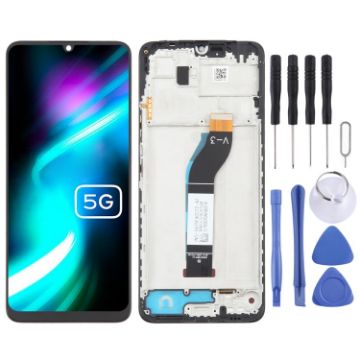
For Xiaomi Poco M6 5G OEM LCD Screen Digitizer Full Assembly with Frame
- Before Installation Notes
- Tips 1: Test before installation
- When testing, do not remove any protective film or tags. Please pay attention to the problem of static electricity.
- Before attempting any repair, be sure to ground yourself is an ESD (electro static discharge) strap. This will prevent static electricity from damaging the electronic components within the phone.
- Ensure you wear eye protection and use caution not to cut your finger with the glass splinters.
- Tips 2: Simulates testing
- Screen replacement is very fragile product. We strongly suggest test before installation. Please simulates testing, which means mobile phone apart, (motherboard + LCD or screen) connected audio cable and new replacement, power on, test finished. If test OK, please install it. If it can not show, please contact us at the very first time. And please do not force it to be installed in mobile phone. We will not be responsible once the screen is installed.
- Tips 3: Do not over-bend cable
A$21.60 A$25.91
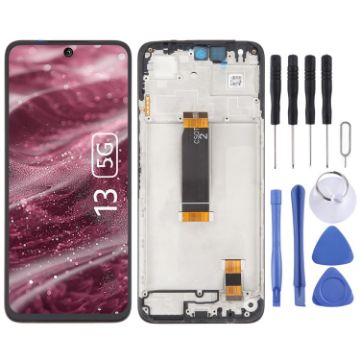
For Xiaomi Redmi 13 5G OEM LCD Screen Digitizer Full Assembly with Frame
- Before Installation Notes
- Tips 1: Test before installation
- When testing, do not remove any protective film or tags. Please pay attention to the problem of static electricity.
- Before attempting any repair, be sure to ground yourself is an ESD (electro static discharge) strap. This will prevent static electricity from damaging the electronic components within the phone.
- Ensure you wear eye protection and use caution not to cut your finger with the glass splinters.
- Tips 2: Simulates testing
- Screen replacement is very fragile product. We strongly suggest test before installation. Please simulates testing, which means mobile phone apart, (motherboard + LCD or screen) connected audio cable and new replacement, power on, test finished. If test OK, please install it. If it can not show, please contact us at the very first time. And please do not force it to be installed in mobile phone. We will not be responsible once the screen is installed.
- Tips 3: Do not over-bend cable
A$24.88 A$30.60
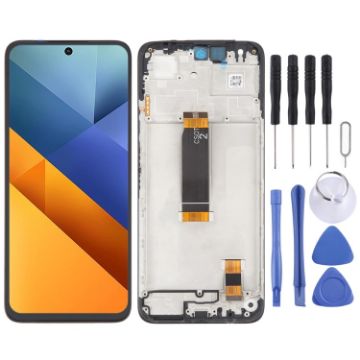
For Xiaomi Poco M6 4G OEM LCD Screen Digitizer Full Assembly with Frame
- Before Installation Notes
- Tips 1: Test before installation
- When testing, do not remove any protective film or tags. Please pay attention to the problem of static electricity.
- Before attempting any repair, be sure to ground yourself is an ESD (electro static discharge) strap. This will prevent static electricity from damaging the electronic components within the phone.
- Ensure you wear eye protection and use caution not to cut your finger with the glass splinters.
- Tips 2: Simulates testing
- Screen replacement is very fragile product. We strongly suggest test before installation. Please simulates testing, which means mobile phone apart, (motherboard + LCD or screen) connected audio cable and new replacement, power on, test finished. If test OK, please install it. If it can not show, please contact us at the very first time. And please do not force it to be installed in mobile phone. We will not be responsible once the screen is installed.
- Tips 3: Do not over-bend cable
A$24.14 A$29.93
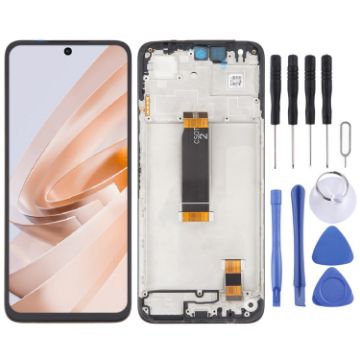
For Xiaomi Poco M6 Plus OEM LCD Screen Digitizer Full Assembly with Frame
- Before Installation Notes
- Tips 1: Test before installation
- When testing, do not remove any protective film or tags. Please pay attention to the problem of static electricity.
- Before attempting any repair, be sure to ground yourself is an ESD (electro static discharge) strap. This will prevent static electricity from damaging the electronic components within the phone.
- Ensure you wear eye protection and use caution not to cut your finger with the glass splinters.
- Tips 2: Simulates testing
- Screen replacement is very fragile product. We strongly suggest test before installation. Please simulates testing, which means mobile phone apart, (motherboard + LCD or screen) connected audio cable and new replacement, power on, test finished. If test OK, please install it. If it can not show, please contact us at the very first time. And please do not force it to be installed in mobile phone. We will not be responsible once the screen is installed.
- Tips 3: Do not over-bend cable
A$24.14 A$28.25
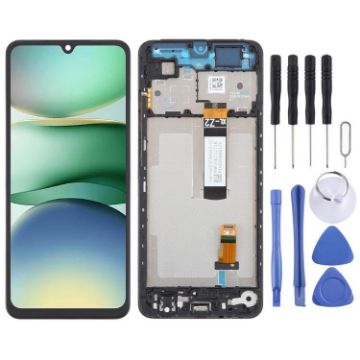
For Xiaomi Redmi A5 4G 6.88 inch OEM LCD Screen Digitizer Full Assembly with Frame
- Before Installation Notes
- Tips 1: Test before installation
- When testing, do not remove any protective film or tags. Please pay attention to the problem of static electricity.
- Before attempting any repair, be sure to ground yourself is an ESD (electro static discharge) strap. This will prevent static electricity from damaging the electronic components within the phone.
- Ensure you wear eye protection and use caution not to cut your finger with the glass splinters.
- Tips 2: Simulates testing
- Screen replacement is very fragile product. We strongly suggest test before installation. Please simulates testing, which means mobile phone apart, (motherboard + LCD or screen) connected audio cable and new replacement, power on, test finished. If test OK, please install it. If it can not show, please contact us at the very first time. And please do not force it to be installed in mobile phone. We will not be responsible once the screen is installed.
- Tips 3: Do not over-bend cable
A$24.52 A$30.17
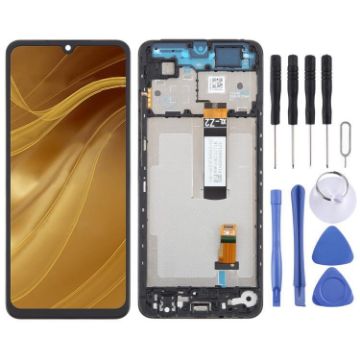
For Xiaomi Poco C71 OEM LCD Screen Digitizer Full Assembly with Frame
- Before Installation Notes
- Tips 1: Test before installation
- When testing, do not remove any protective film or tags. Please pay attention to the problem of static electricity.
- Before attempting any repair, be sure to ground yourself is an ESD (electro static discharge) strap. This will prevent static electricity from damaging the electronic components within the phone.
- Ensure you wear eye protection and use caution not to cut your finger with the glass splinters.
- Tips 2: Simulates testing
- Screen replacement is very fragile product. We strongly suggest test before installation. Please simulates testing, which means mobile phone apart, (motherboard + LCD or screen) connected audio cable and new replacement, power on, test finished. If test OK, please install it. If it can not show, please contact us at the very first time. And please do not force it to be installed in mobile phone. We will not be responsible once the screen is installed.
- Tips 3: Do not over-bend cable
A$24.14 A$29.44
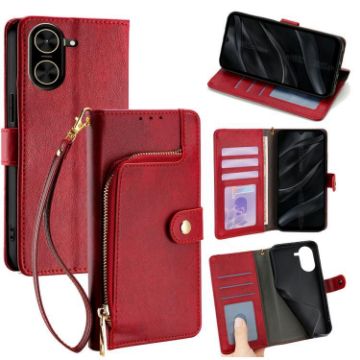
For Redmi A5 4G 171.7mm Zipper Bag Leather Phone Case (Red)
- Made of PU leather and TPU material, it may work for a long time.
- It adequately protects devices from the normal scratches, dirt, tear and wear.
- Holder design makes horizontal viewing more convenient.
- With card slots, wallet and strap, practical and functional.
- Access to all ports and buttons easily without removing the case.
- Note: The actual product is subject to the title model, the model machine of the picture is only for effect reference.
A$14.16 A$17.41
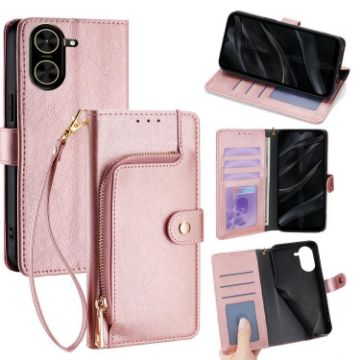
For Redmi A5 4G 171.7mm Zipper Bag Leather Phone Case (Rose Gold)
- Made of PU leather and TPU material, it may work for a long time.
- It adequately protects devices from the normal scratches, dirt, tear and wear.
- Holder design makes horizontal viewing more convenient.
- With card slots, wallet and strap, practical and functional.
- Access to all ports and buttons easily without removing the case.
- Note: The actual product is subject to the title model, the model machine of the picture is only for effect reference.
A$14.16 A$16.70

NEED HELP?
Payment options
