Search



WORLDWIDE SHIPPING
fast, flexible, secure options

ONLINE SUPPORT 24 / 7
anytime, anywhere help

MONEY BACK GUARANTEE
shop with confidence

WIDE SELECTION
every day low prices
Electronics
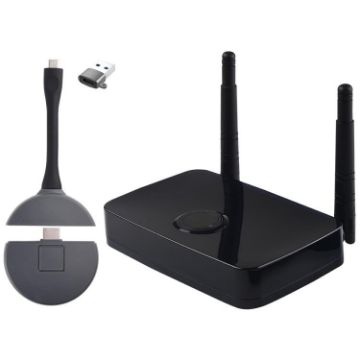
Measy AM1810 3 in 1 Wireless Screen Projector with Transmitter and Receiver, Plug:EU Plug
- Power port: Type-C
- Output resolution: 1080P/60Hz
- Power supply: 5V/2A
- Receiver port specifications: HDMI/Type-C/VGA/3.5mm audio port
- Suitable for wireless screen projection of devices with high-definition HDMI interface output
- Support 5G/2.4G dual-band WiFi, high-definition video wireless transmission
- Wireless network: IEEE 802.11ac 2.4GHz/5GHz
- Plug and play, no software, no settings, no drivers required
A$230.07 A$266.87
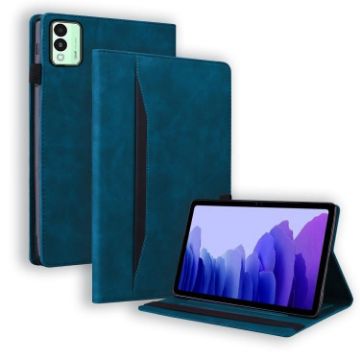
For Tecno Megapad 11 2024 Splicing Shockproof Leather Tablet Case (Blue)
- Made of PU leather and TPU material, it can be used for a long time.
- It fully protects the equipment from general scratches, dirt and abrasion.
- The stand design makes it easy for you to watch horizontally.
- With card slot & photo frame & pen slot & smart sleep function, practical and convenient.
- Easy access to all ports and buttons without removing the shell.
- Note: The actual product is subject to the title model, the model machine of the picture is only for effect reference.
A$15.68 A$18.03
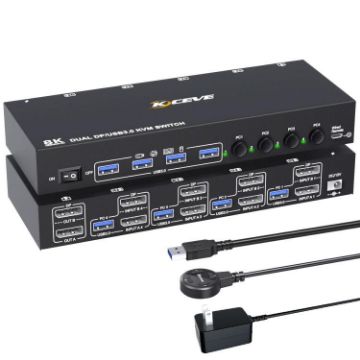
KC-KVM402DP 8K 30Hz 4 Input 2 Output DP/USB3.0 Dual Monitor KVM Switch, EU Plug
- Description
- This USB and 4 display port KVM switch can control 4 desktop computers or laptops using 1 set of keyboard and mouse to share 2 monitors and 4 USB3.0 hubs. Supports multiple display modes (extended, mirrored and spliced wall). It is the best KVM switch to improve your work efficiency and make your workspace neater, and it is also a good choice for work or home use.
- Dual monitor output supports extension, mirroring and splicing wall display
- Supports DisplayPort video resolutions up to 4K 144Hz, 8K 30Hz
- Supports Deep Color Technology
- Switching modes: physical button and wired remote control
- High compatibility, automatically matching source and display devices
- Built-in automatic adjustment system to make the image smooth, clear and stable
A$104.83 A$122.65
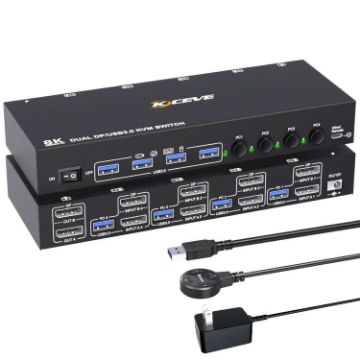
KC-KVM402DP 8K 30Hz 4 Input 2 Output DP/USB3.0 Dual Monitor KVM Switch, UK Plug
- Description
- This USB and 4 display port KVM switch can control 4 desktop computers or laptops using 1 set of keyboard and mouse to share 2 monitors and 4 USB3.0 hubs. Supports multiple display modes (extended, mirrored and spliced wall). It is the best KVM switch to improve your work efficiency and make your workspace neater, and it is also a good choice for work or home use.
- Dual monitor output supports extension, mirroring and splicing wall display
- Supports DisplayPort video resolutions up to 4K 144Hz, 8K 30Hz
- Supports Deep Color Technology
- Switching modes: physical button and wired remote control
- High compatibility, automatically matching source and display devices
- Built-in automatic adjustment system to make the image smooth, clear and stable
A$104.83 A$128.94
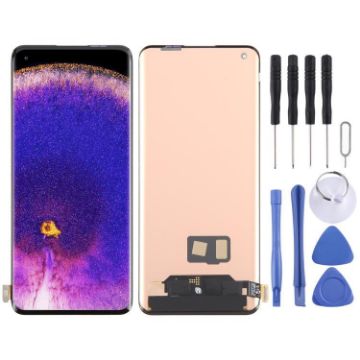
For OPPO Find X5 Pro CPH2305 OLED LCD Screen with Digitizer Full Assembly with Fingerprint Identification
- Before Installation Notes
- Tips 1: Test before installation
- When testing, do not remove any protective film or tags. Please pay attention to the problem of static electricity.
- Before attempting any repair, be sure to ground yourself is an ESD (electro static discharge) strap. This will prevent static electricity from damaging the electronic components within the phone.
- Ensure you wear eye protection and use caution not to cut your finger with the glass splinters.
- Tips 2: Simulates testing
- Screen replacement is very fragile product. We strongly suggest test before installation. Please simulates testing, which means mobile phone apart, (motherboard + LCD or screen) connected audio cable and new replacement, power on, test finished. If test OK, please install it. If it can not show, please contact us at the very first time. And please do not force it to be installed in mobile phone. We will not be responsible once the screen is installed.
- Tips 3: Do not over-bend cable
A$177.55 A$207.74
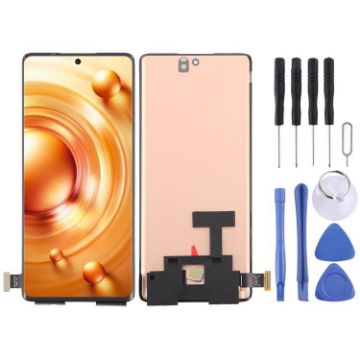
For vivo X80 V2183A V2144 OLED LCD Screen with Digitizer Full Assembly with Fingerprint Identification
- Before Installation Notes
- Tips 1: Test before installation
- When testing, do not remove any protective film or tags. Please pay attention to the problem of static electricity.
- Before attempting any repair, be sure to ground yourself is an ESD (electro static discharge) strap. This will prevent static electricity from damaging the electronic components within the phone.
- Ensure you wear eye protection and use caution not to cut your finger with the glass splinters.
- Tips 2: Simulates testing
- Screen replacement is very fragile product. We strongly suggest test before installation. Please simulates testing, which means mobile phone apart, (motherboard + LCD or screen) connected audio cable and new replacement, power on, test finished. If test OK, please install it. If it can not show, please contact us at the very first time. And please do not force it to be installed in mobile phone. We will not be responsible once the screen is installed.
- Tips 3: Do not over-bend cable
A$91.41 A$108.78
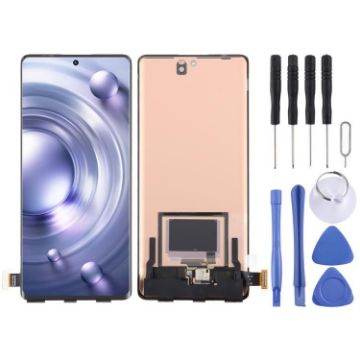
For vivo X80 Pro V2185A V2145 OLED LCD Screen with Digitizer Full Assembly with Fingerprint Identification
- Before Installation Notes
- Tips 1: Test before installation
- When testing, do not remove any protective film or tags. Please pay attention to the problem of static electricity.
- Before attempting any repair, be sure to ground yourself is an ESD (electro static discharge) strap. This will prevent static electricity from damaging the electronic components within the phone.
- Ensure you wear eye protection and use caution not to cut your finger with the glass splinters.
- Tips 2: Simulates testing
- Screen replacement is very fragile product. We strongly suggest test before installation. Please simulates testing, which means mobile phone apart, (motherboard + LCD or screen) connected audio cable and new replacement, power on, test finished. If test OK, please install it. If it can not show, please contact us at the very first time. And please do not force it to be installed in mobile phone. We will not be responsible once the screen is installed.
- Tips 3: Do not over-bend cable
A$133.08 A$155.70
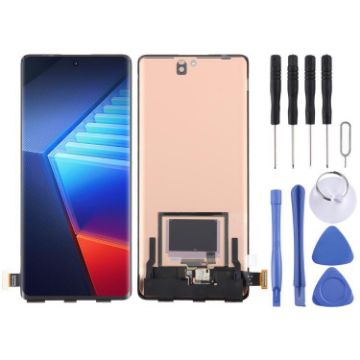
For vivo iQOO 10 Pro OLED LCD Screen with Digitizer Full Assembly with Fingerprint Identification
- Before Installation Notes
- Tips 1: Test before installation
- When testing, do not remove any protective film or tags. Please pay attention to the problem of static electricity.
- Before attempting any repair, be sure to ground yourself is an ESD (electro static discharge) strap. This will prevent static electricity from damaging the electronic components within the phone.
- Ensure you wear eye protection and use caution not to cut your finger with the glass splinters.
- Tips 2: Simulates testing
- Screen replacement is very fragile product. We strongly suggest test before installation. Please simulates testing, which means mobile phone apart, (motherboard + LCD or screen) connected audio cable and new replacement, power on, test finished. If test OK, please install it. If it can not show, please contact us at the very first time. And please do not force it to be installed in mobile phone. We will not be responsible once the screen is installed.
- Tips 3: Do not over-bend cable
A$119.04 A$138.08
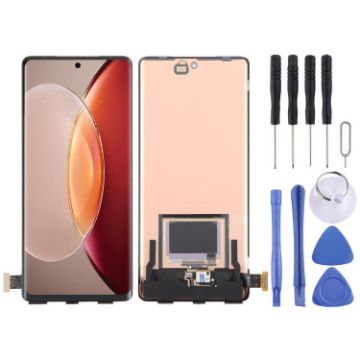
For vivo X90 Pro+ OLED LCD Screen with Digitizer Full Assembly with Fingerprint Identification
- Before Installation Notes
- Tips 1: Test before installation
- When testing, do not remove any protective film or tags. Please pay attention to the problem of static electricity.
- Before attempting any repair, be sure to ground yourself is an ESD (electro static discharge) strap. This will prevent static electricity from damaging the electronic components within the phone.
- Ensure you wear eye protection and use caution not to cut your finger with the glass splinters.
- Tips 2: Simulates testing
- Screen replacement is very fragile product. We strongly suggest test before installation. Please simulates testing, which means mobile phone apart, (motherboard + LCD or screen) connected audio cable and new replacement, power on, test finished. If test OK, please install it. If it can not show, please contact us at the very first time. And please do not force it to be installed in mobile phone. We will not be responsible once the screen is installed.
- Tips 3: Do not over-bend cable
A$133.08 A$157.04
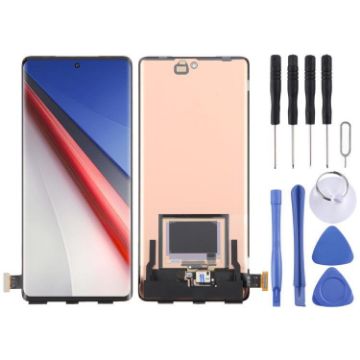
For vivo iQOO 11 Pro OLED LCD Screen with Digitizer Full Assembly with Fingerprint Identification
- Before Installation Notes
- Tips 1: Test before installation
- When testing, do not remove any protective film or tags. Please pay attention to the problem of static electricity.
- Before attempting any repair, be sure to ground yourself is an ESD (electro static discharge) strap. This will prevent static electricity from damaging the electronic components within the phone.
- Ensure you wear eye protection and use caution not to cut your finger with the glass splinters.
- Tips 2: Simulates testing
- Screen replacement is very fragile product. We strongly suggest test before installation. Please simulates testing, which means mobile phone apart, (motherboard + LCD or screen) connected audio cable and new replacement, power on, test finished. If test OK, please install it. If it can not show, please contact us at the very first time. And please do not force it to be installed in mobile phone. We will not be responsible once the screen is installed.
- Tips 3: Do not over-bend cable
A$133.08 A$163.69
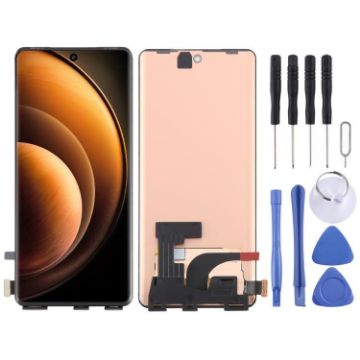
For vivo X100 OLED LCD Screen with Digitizer Full Assembly with Fingerprint Identification
- Before Installation Notes
- Tips 1: Test before installation
- When testing, do not remove any protective film or tags. Please pay attention to the problem of static electricity.
- Before attempting any repair, be sure to ground yourself is an ESD (electro static discharge) strap. This will prevent static electricity from damaging the electronic components within the phone.
- Ensure you wear eye protection and use caution not to cut your finger with the glass splinters.
- Tips 2: Simulates testing
- Screen replacement is very fragile product. We strongly suggest test before installation. Please simulates testing, which means mobile phone apart, (motherboard + LCD or screen) connected audio cable and new replacement, power on, test finished. If test OK, please install it. If it can not show, please contact us at the very first time. And please do not force it to be installed in mobile phone. We will not be responsible once the screen is installed.
- Tips 3: Do not over-bend cable
A$73.20 A$84.19
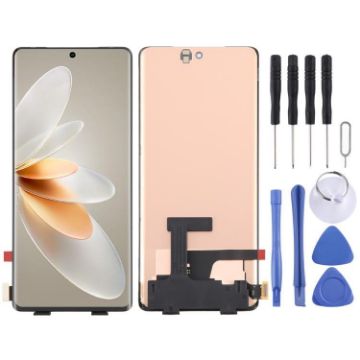
For vivo S16 OLED LCD Screen with Digitizer Full Assembly with Fingerprint Identification
- Before Installation Notes
- Tips 1: Test before installation
- When testing, do not remove any protective film or tags. Please pay attention to the problem of static electricity.
- Before attempting any repair, be sure to ground yourself is an ESD (electro static discharge) strap. This will prevent static electricity from damaging the electronic components within the phone.
- Ensure you wear eye protection and use caution not to cut your finger with the glass splinters.
- Tips 2: Simulates testing
- Screen replacement is very fragile product. We strongly suggest test before installation. Please simulates testing, which means mobile phone apart, (motherboard + LCD or screen) connected audio cable and new replacement, power on, test finished. If test OK, please install it. If it can not show, please contact us at the very first time. And please do not force it to be installed in mobile phone. We will not be responsible once the screen is installed.
- Tips 3: Do not over-bend cable
A$73.20 A$86.37

NEED HELP?
Payment options
