Search



WORLDWIDE SHIPPING
fast, flexible, secure options

ONLINE SUPPORT 24 / 7
anytime, anywhere help

MONEY BACK GUARANTEE
shop with confidence

WIDE SELECTION
every day low prices
Repair & Spare Parts
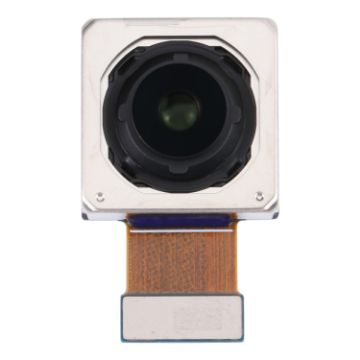
For Xiaomi Redmi K50 Pro Back Facing Camera
- Back facing camera replacement part.
- Replace your broken or unusable item with a new one.
- Each item has been checked and in good condition before shipping.
- Completely fit and work.
- Professional installation is highly recommended. We will not be responsible for any damages to your cellphone/mobile phone that you may cause during the changing of replacement parts.
A$18.13 A$21.57
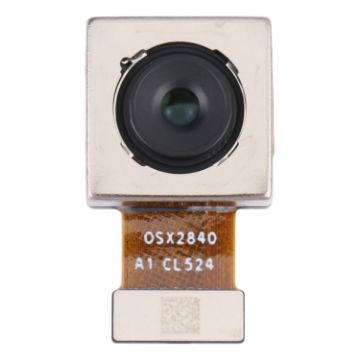
For Xiaomi Redmi K40s/Poco F4 Back Facing Camera
- Back facing camera replacement part.
- Replace your broken or unusable item with a new one.
- Each item has been checked and in good condition before shipping.
- Completely fit and work.
- Professional installation is highly recommended. We will not be responsible for any damages to your cellphone/mobile phone that you may cause during the changing of replacement parts.
A$15.99 A$19.99
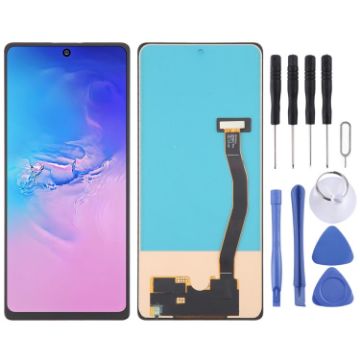
Incell LCD Screen For Samsung Galaxy S10 Lite SM-G770F with Digitizer Full Assembly (Not Supporting Fingerprint Identification)
- Before Installation Notes
- Tips 1: Test before installation
- When testing, do not remove any protective film or tags. Please pay attention to the problem of static electricity.
- Before attempting any repair, be sure to ground yourself is an ESD (electro static discharge) strap. This will prevent static electricity from damaging the electronic components within the phone.
- Ensure you wear eye protection and use caution not to cut your finger with the glass splinters.
- Tips 2: Simulates testing
- Screen replacement is very fragile product. We strongly suggest test before installation. Please simulates testing, which means mobile phone apart, (motherboard + LCD or screen) connected audio cable and new replacement, power on, test finished. If test OK, please install it. If it can not show, please contact us at the very first time. And please do not force it to be installed in mobile phone. We will not be responsible once the screen is installed.
- Tips 3: Do not over-bend cable
A$23.95 A$28.75
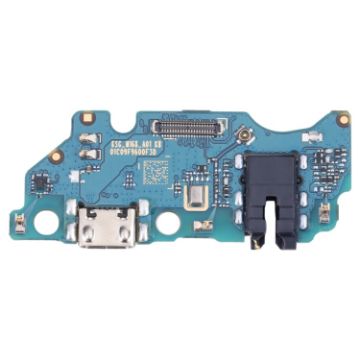
For Samsung Galaxy A03 Core SM-A032F Charging Port Board with IC Chip
- Charging port board with IC chip replacement part.
- This part is used to replace your damaged or unworkable one with a new one.
- Each item has been checked and in good condition before shipping.
- Completely fit and work.
- The installation of any new part should be done by a qualified person. We will not be responsible for any damage caused during installation.
A$8.87 A$10.74
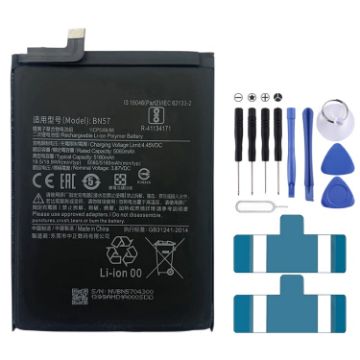
BN57 5160mAh Li-Polymer Battery Replacement For Xiaomi Poco X3 NFC/Poco X3 Pro
- If you dont use the battery for a long time, please put it in a dry and cool place and make it full charged once every three months.
- Replace your broken or unusable item with a new one.
- Each item has been checked and in good condition before shipping.
- Completely fit and work.
- Professional installation is highly recommended. We will not be responsible for any damages to your cellphone/mobile phone that you may cause during the changing of replacement parts.
- Warning:
- To reduce risk of fire or bums, do not disassemble, crush, short circuit, or dispose of it in fire or water
A$14.65 A$17.88
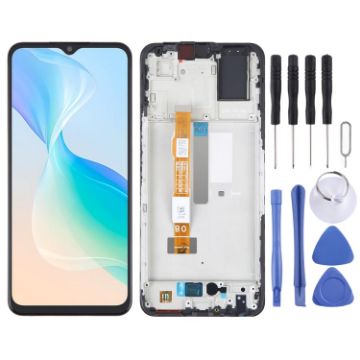
OEM LCD Screen For vivo Y33S Digitizer Full Assembly With Frame
- Before Installation Notes
- Tips 1: Test before installation
- When testing, do not remove any protective film or tags. Please pay attention to the problem of static electricity.
- Before attempting any repair, be sure to ground yourself is an ESD (electro static discharge) strap. This will prevent static electricity from damaging the electronic components within the phone.
- Ensure you wear eye protection and use caution not to cut your finger with the glass splinters.
- Tips 2: Simulates testing
- Screen replacement is very fragile product. We strongly suggest test before installation. Please simulates testing, which means mobile phone apart, (motherboard + LCD or screen) connected audio cable and new replacement, power on, test finished. If test OK, please install it. If it can not show, please contact us at the very first time. And please do not force it to be installed in mobile phone. We will not be responsible once the screen is installed.
- Tips 3: Do not over-bend cable
A$22.94 A$27.76
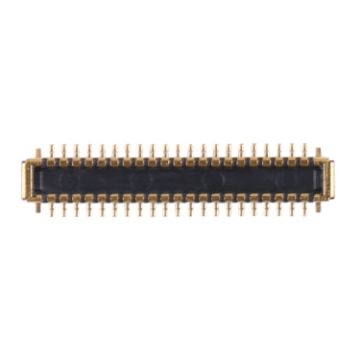
For iPad Air 2020 42Pin Touch FPC Connector On Flex Cable
- Touch FPC connector on flex cable replacement for iPad Air 2020 42Pin.
- This part is used to replace your damaged or unworkable one with a new one.
- Each item has been checked and in good condition before shipping.
- Completely fit and work.
- Professional installation is highly recommended. We will not be responsible for any damages to your device that you may cause during the changing of replacement parts.
A$3.00 A$3.48
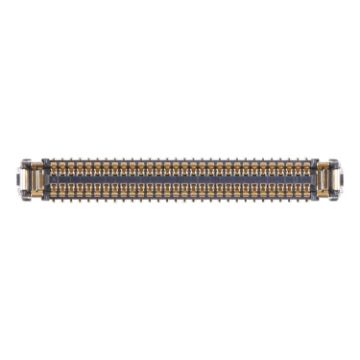
For iPad Air 2020 60Pin LCD Display FPC Connector On Motherboard
- LCD display FPC connector on motherboard replacement for iPad Air 2020 60Pin.
- This part is used to replace your damaged or unworkable one with a new one.
- Each item has been checked and in good condition before shipping.
- Completely fit and work.
- Professional installation is highly recommended. We will not be responsible for any damages to your device that you may cause during the changing of replacement parts.
A$7.70 A$9.63
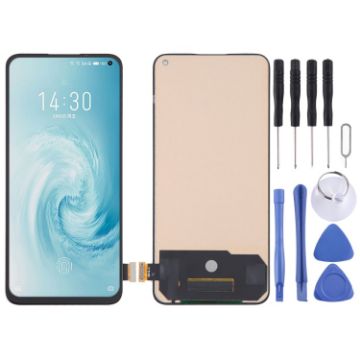
TFT LCD Screen For Meizu 17 with Digitizer Full Assembly, Not Supporting Fingerprint Identification
- Before Installation Notes
- Tips 1: Test before installation
- When testing, do not remove any protective film or tags. Please pay attention to the problem of static electricity.
- Before attempting any repair, be sure to ground yourself is an ESD (electro static discharge) strap. This will prevent static electricity from damaging the electronic components within the phone.
- Ensure you wear eye protection and use caution not to cut your finger with the glass splinters.
- Tips 2: Simulates testing
- Screen replacement is very fragile product. We strongly suggest test before installation. Please simulates testing, which means mobile phone apart, (motherboard + LCD or screen) connected audio cable and new replacement, power on, test finished. If test OK, please install it. If it can not show, please contact us at the very first time. And please do not force it to be installed in mobile phone. We will not be responsible once the screen is installed.
- Tips 3: Do not over-bend cable
A$45.05 A$51.81
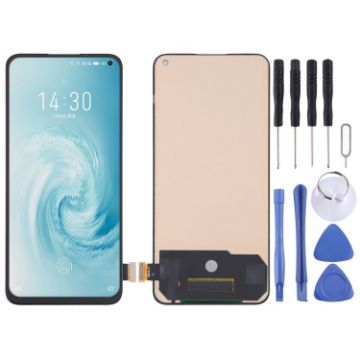
TFT LCD Screen For Meizu 17 Pro with Digitizer Full Assembly, Not Supporting Fingerprint Identification
- Before Installation Notes
- Tips 1: Test before installation
- When testing, do not remove any protective film or tags. Please pay attention to the problem of static electricity.
- Before attempting any repair, be sure to ground yourself is an ESD (electro static discharge) strap. This will prevent static electricity from damaging the electronic components within the phone.
- Ensure you wear eye protection and use caution not to cut your finger with the glass splinters.
- Tips 2: Simulates testing
- Screen replacement is very fragile product. We strongly suggest test before installation. Please simulates testing, which means mobile phone apart, (motherboard + LCD or screen) connected audio cable and new replacement, power on, test finished. If test OK, please install it. If it can not show, please contact us at the very first time. And please do not force it to be installed in mobile phone. We will not be responsible once the screen is installed.
- Tips 3: Do not over-bend cable
A$49.63 A$59.06
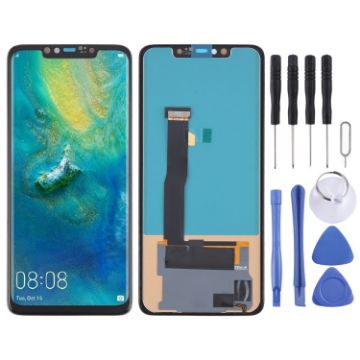
TFT LCD Screen For Huawei Mate 20 Pro with Digitizer Full Assembly, Not Supporting Fingerprint Identification
- Before Installation Notes
- Tips 1: Test before installation
- When testing, do not remove any protective film or tags. Please pay attention to the problem of static electricity.
- Before attempting any repair, be sure to ground yourself is an ESD (electro static discharge) strap. This will prevent static electricity from damaging the electronic components within the phone.
- Ensure you wear eye protection and use caution not to cut your finger with the glass splinters.
- Tips 2: Simulates testing
- Screen replacement is very fragile product. We strongly suggest test before installation. Please simulates testing, which means mobile phone apart, (motherboard + LCD or screen) connected audio cable and new replacement, power on, test finished. If test OK, please install it. If it can not show, please contact us at the very first time. And please do not force it to be installed in mobile phone. We will not be responsible once the screen is installed.
- Tips 3: Do not over-bend cable
A$24.57 A$28.99
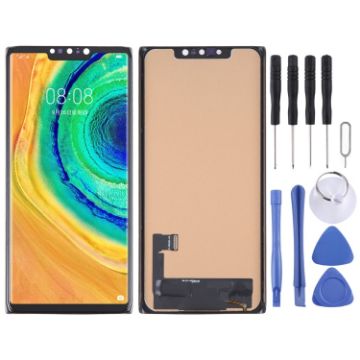
TFT LCD Screen For Huawei Mate 30 Pro with Digitizer Full Assembly, Not Supporting Fingerprint Identification
- Before Installation Notes
- Tips 1: Test before installation
- When testing, do not remove any protective film or tags. Please pay attention to the problem of static electricity.
- Before attempting any repair, be sure to ground yourself is an ESD (electro static discharge) strap. This will prevent static electricity from damaging the electronic components within the phone.
- Ensure you wear eye protection and use caution not to cut your finger with the glass splinters.
- Tips 2: Simulates testing
- Screen replacement is very fragile product. We strongly suggest test before installation. Please simulates testing, which means mobile phone apart, (motherboard + LCD or screen) connected audio cable and new replacement, power on, test finished. If test OK, please install it. If it can not show, please contact us at the very first time. And please do not force it to be installed in mobile phone. We will not be responsible once the screen is installed.
- Tips 3: Do not over-bend cable
A$23.20 A$28.76

NEED HELP?
Payment options
